Three features of the Digitizer
Scale and distortion from reference points
Four points on the photo (A, B, C, D) and the real length of a side bring the sheet to level and to scale.
Trace the shape as lines
Trace an outer path, an inner path, or a centerline. You can also draw the outline with lines and arcs, including arc fitting and intersection cleanup.
Pass it to Beginner CAD
Only the traced lines are passed inside the browser. The photo is not passed, and nothing is sent to a server.
Screens
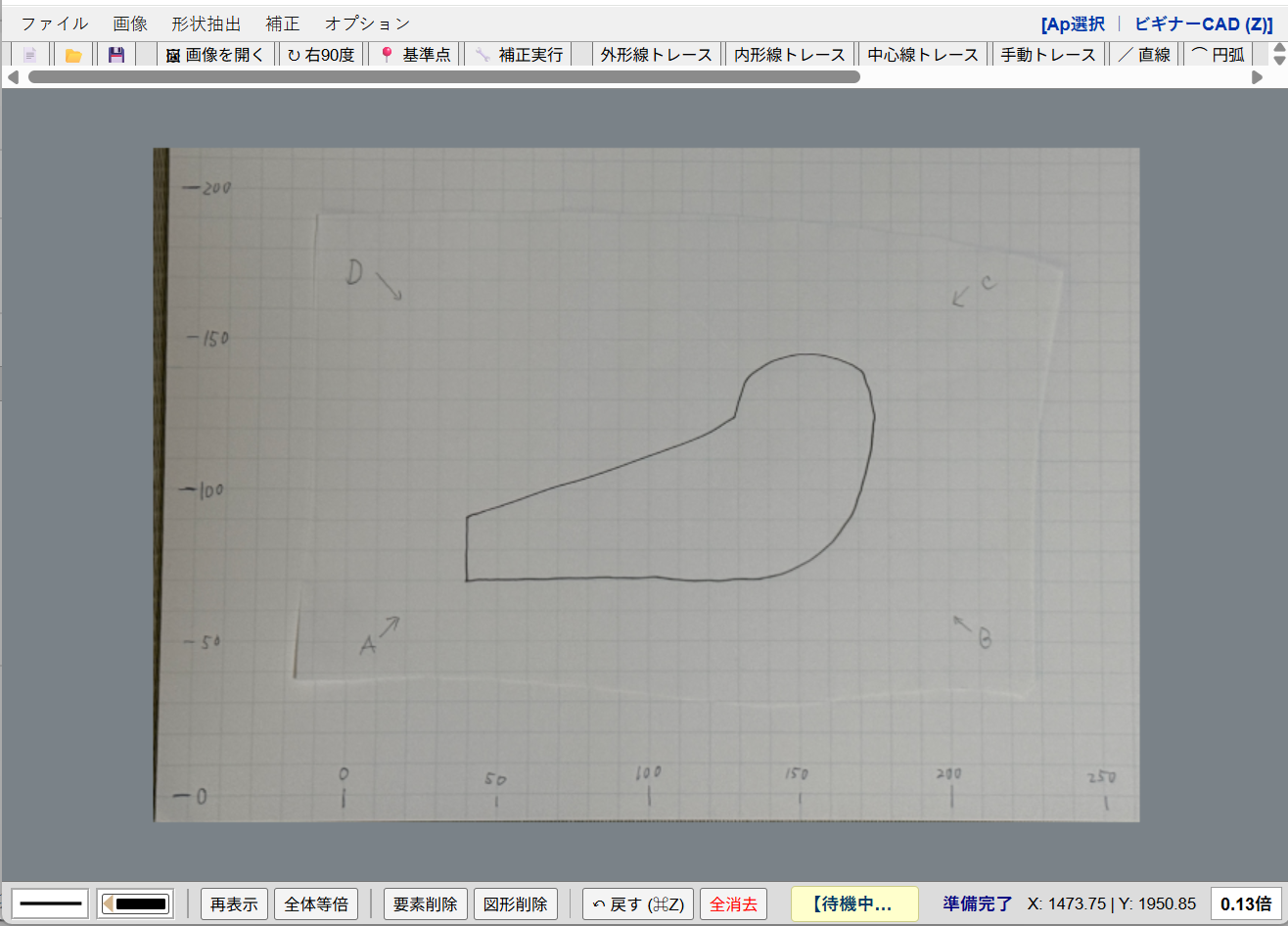
The screen with a graph-paper photo
The menu and toolbar open an image, correct it, and trace the shape.
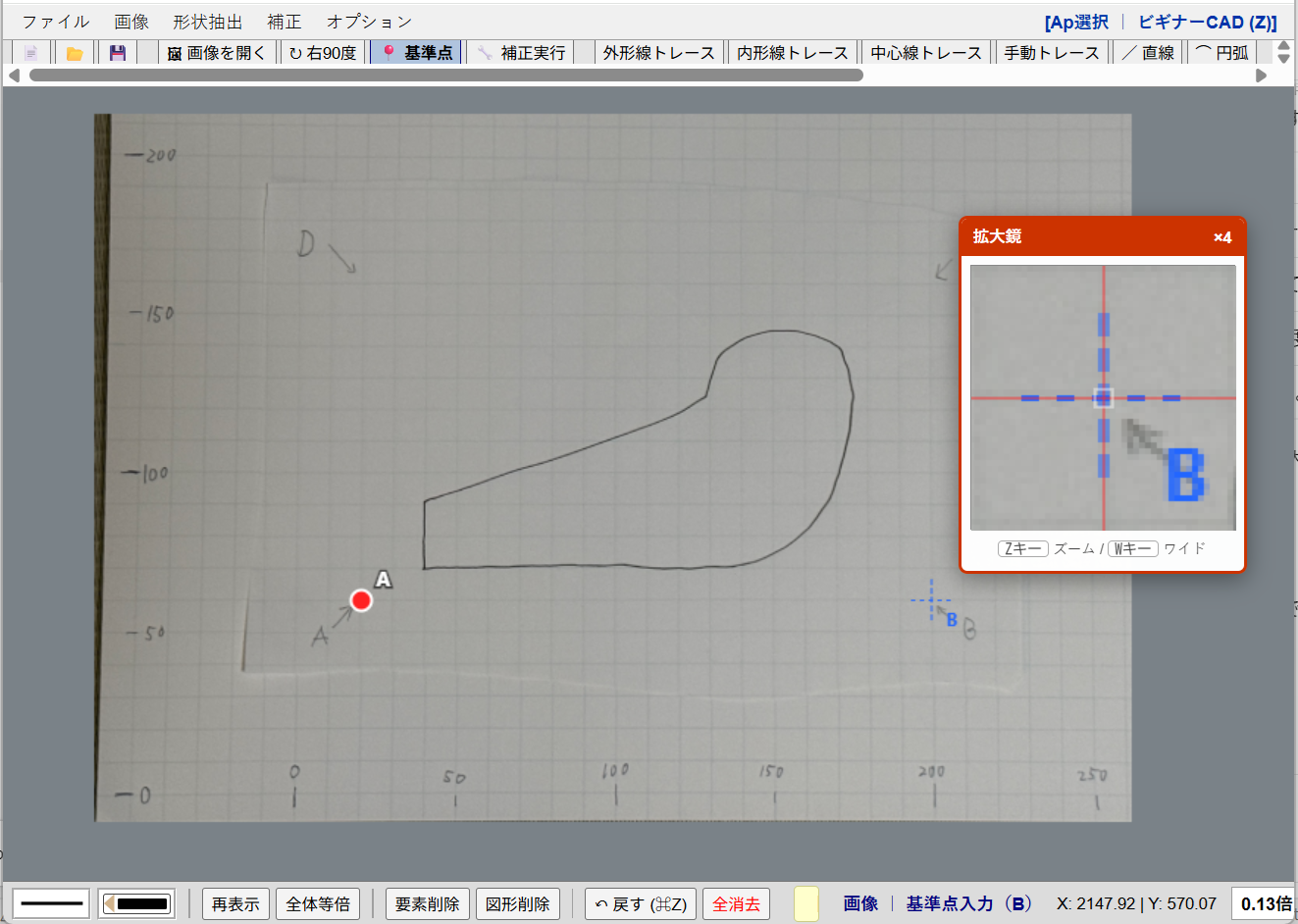
Reference points A, B, C, D
Pick the reference points in order. The magnifier helps you place each point.
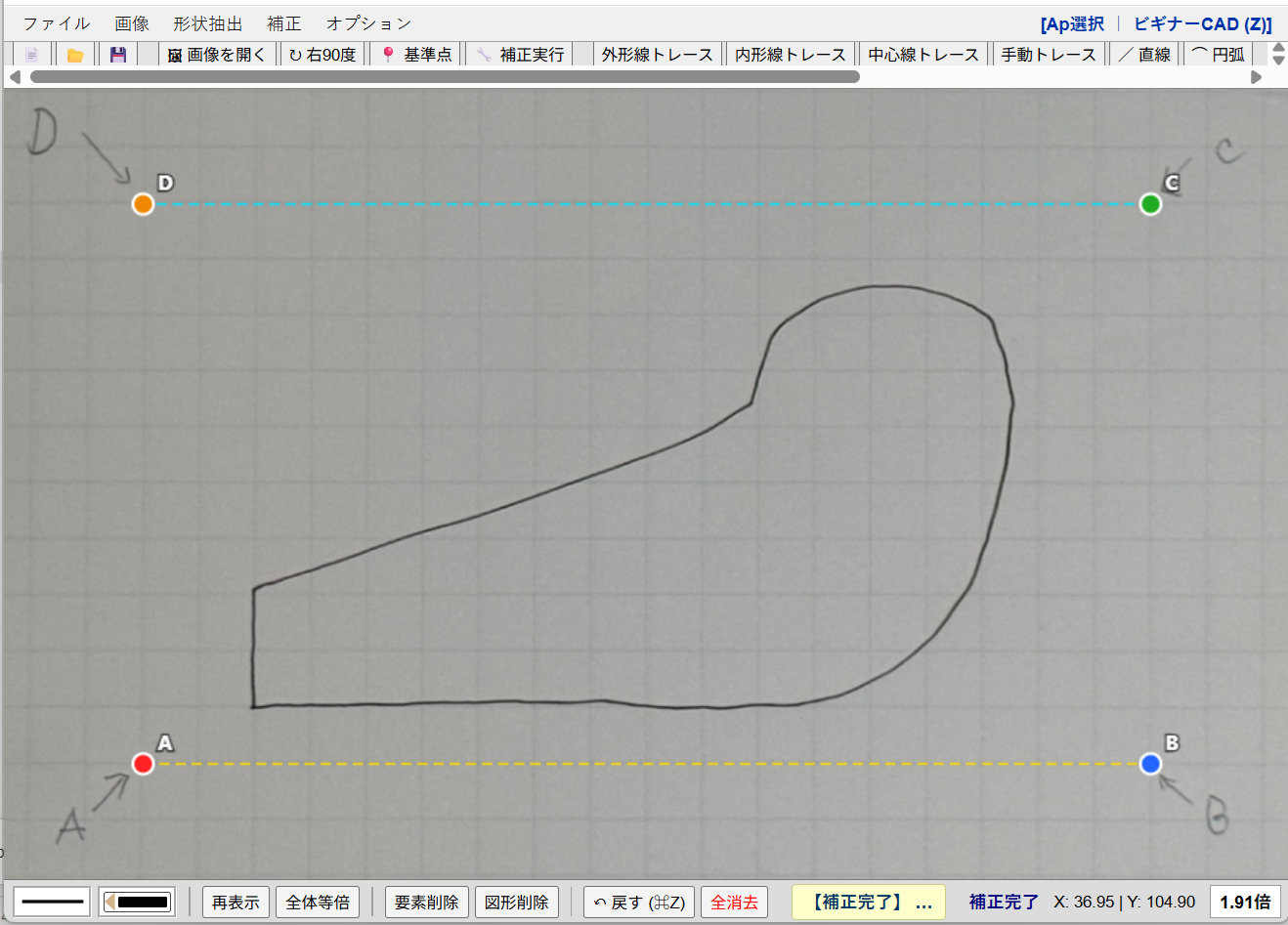
Scale and distortion correction
After correction, A and B are level and the grid matches the real scale.
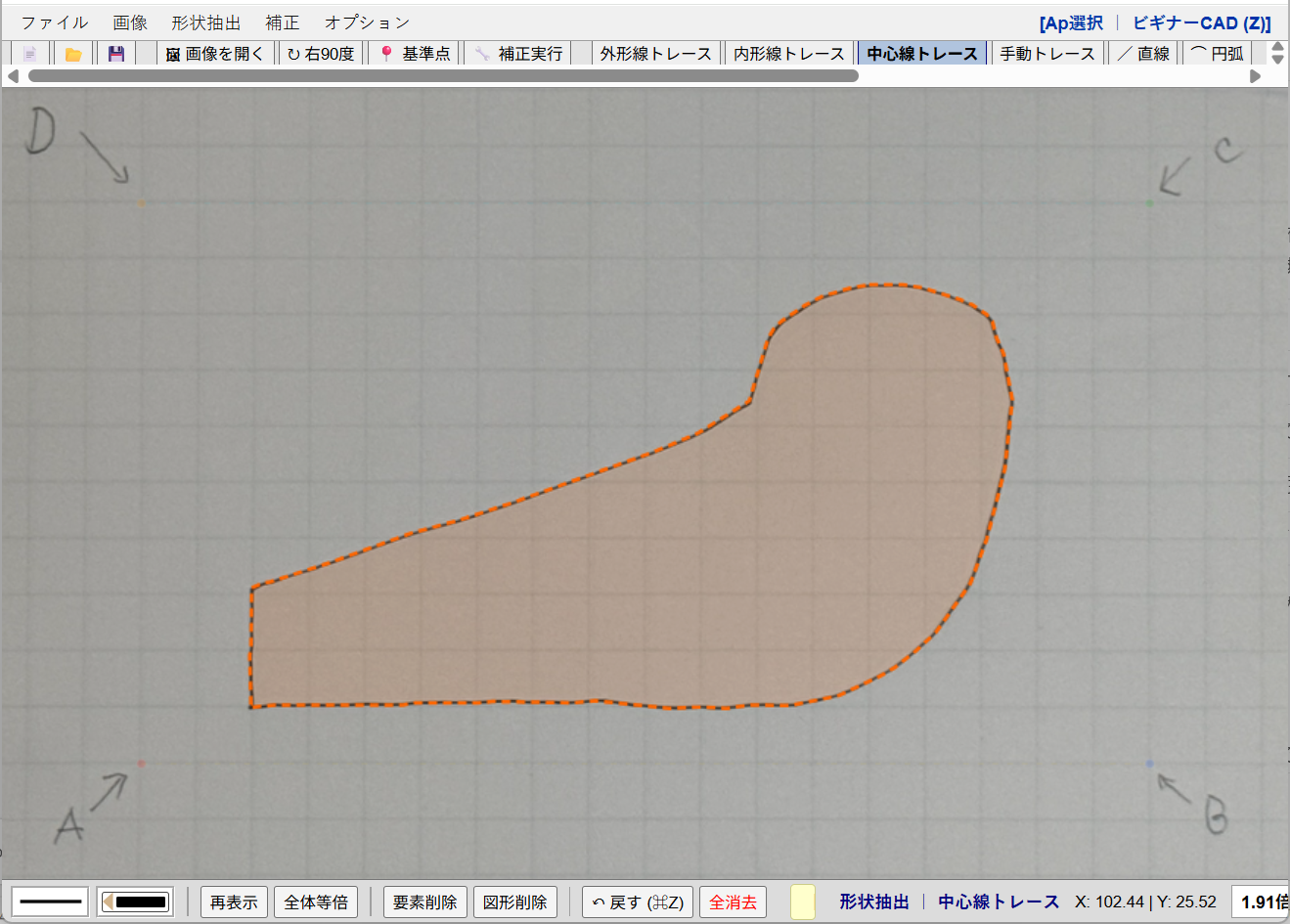
Tracing the shape
Lines follow the shape. Beginner CAD (Z) at the top right passes those lines on.
Specifications
| Where it runs, and the price | Runs in a web browser. No install. Free. |
|---|---|
| Images | PNG, JPEG, and similar files |
| Correction | Points A, B, C, D and the real length of a side correct scale, level, and distortion |
| Tracing | Outer, inner, and center traces, lines, arcs, arc fitting, and intersection cleanup |
| Save | .dgz |
| Handoff to Beginner CAD | Only the traced lines are passed in the browser. The photo is not. |
Open it in the browser
The manual explains opening an image, the reference points, correction, and tracing.